🔎 AI Member Screening
AI Member Screening evaluates new members using profile signals and, when needed, a model-assisted review. It complements Captcha and Spam Detection: captcha proves a human joined; screening asks whether that account looks risky before they settle in.
When screening runs
Two moments matter in the bot:
- On join — A lightweight check can run for profiles with enough signal (long names, bios, linked channels, etc.).
- First message — When a user matches your new user definition (for example “has never sent a message”), the bot can run a fuller pre-filter + model flow the first time they speak.
Configuration
- Use
/settings→ 🤖 AI → 🔎 Member Screening, or send/ai_screening_settingsas an admin - Toggle screening 🟢 Enabled or 🔴 Disabled
Actions
Flag for review
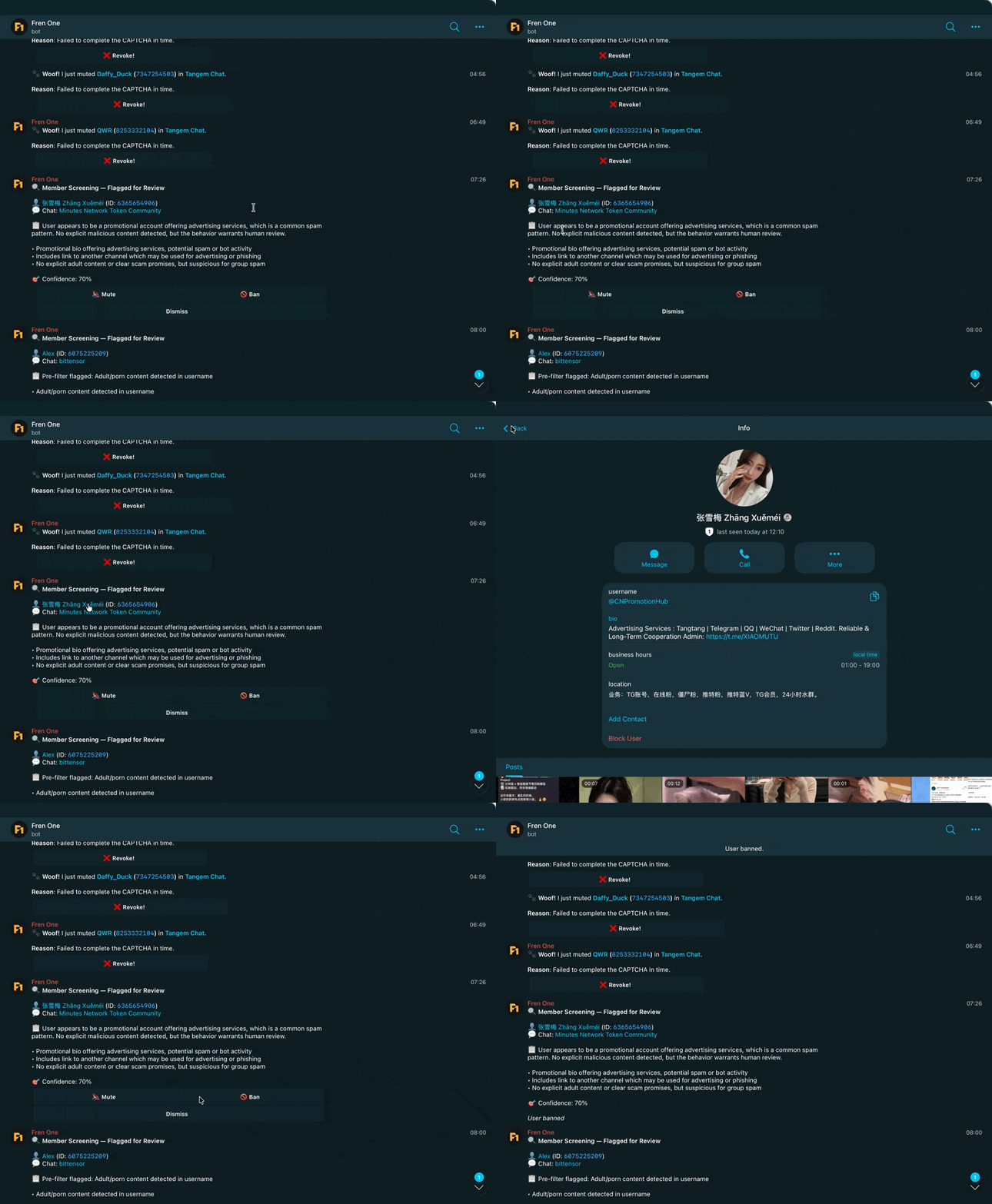
Suspicious cases generate an alert. Admins can use inline buttons on the alert to:
- Restrict (mute) the user for a duration
- Ban the user
- Dismiss the alert
Auto restrict
Automatically apply a mute when screening is confident there is an issue. Options include:
- Delete message — Optionally delete the triggering message when auto-restrict is enabled.
Notifications
Send screening alerts via:
- DM to admins, or
- A dedicated channel (you can bind a channel ID when prompted).
Troubleshooting
No alerts but you expect them?
- Confirm screening is 🟢 Enabled
- Check your New User Definition — screening keys off who counts as “new”
- Very minimal profiles may not trigger join-time screening until the first message
Too many false positives?
- Switch action mode to Flag for review instead of Auto restrict while tuning
- Use notifications in a private admin channel for faster context